> ## Documentation Index
> Fetch the complete documentation index at: https://docs.fabi.ai/llms.txt
> Use this file to discover all available pages before exploring further.
# Scheduling updates
> Schedule dashboards, Slack or Google Sheet pushes.
# Scheduling data refreshes
Once you've completed your analysis or built your data workflow to push updates to Slack or [Google Sheets](https://docs.fabi.ai/workflow_automation/google_sheets_integration), you can schedule your dashboard to refresh at a cadence of your chosing.
When publishing a dashboard, simply select the **Schedule** option.
 ## Custom schedules
If you have very particular or unique scheduling cadence needs, you can let the AI handle that for you!
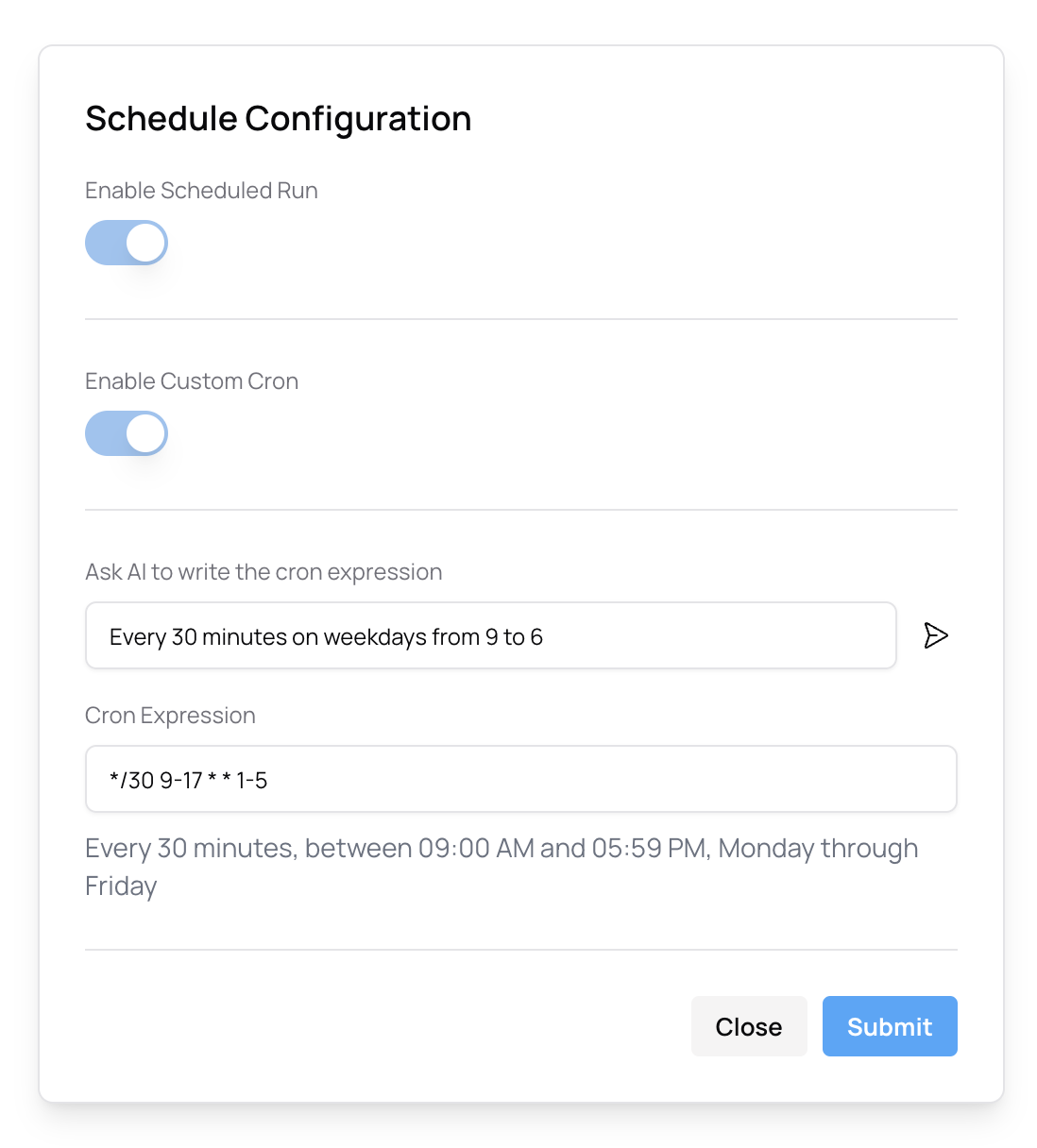
For example, if you would like to schedule your data to be refreshed every 30 minutes on weekdays from 9 to 6, simply ask the AI using the **Custom scheduling** functionality.
Simply write in plain text what schedule you would like to set and the AI will generate the custom cron expression.
## Custom schedules
If you have very particular or unique scheduling cadence needs, you can let the AI handle that for you!
For example, if you would like to schedule your data to be refreshed every 30 minutes on weekdays from 9 to 6, simply ask the AI using the **Custom scheduling** functionality.
Simply write in plain text what schedule you would like to set and the AI will generate the custom cron expression.