> ## Documentation Index
> Fetch the complete documentation index at: https://docs.fabi.ai/llms.txt
> Use this file to discover all available pages before exploring further.
# Uploading files
> You can analyze data from Excel, CSV or even Google Sheets.
# Uploading a file
Working with files is common to all ad hoc and exploratory data analysis. To get started, simply click on the **paper clip icon** from the Analyst Agent chat box or **Upload a file** from an empty Smartbook.
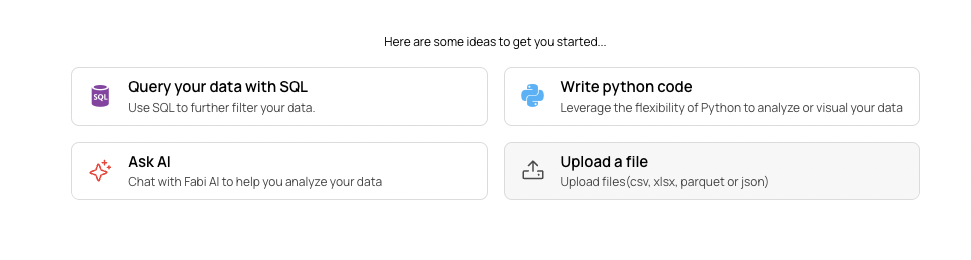 Once uploaded, your data will be available to Analyst Agent and you can start asking questions.
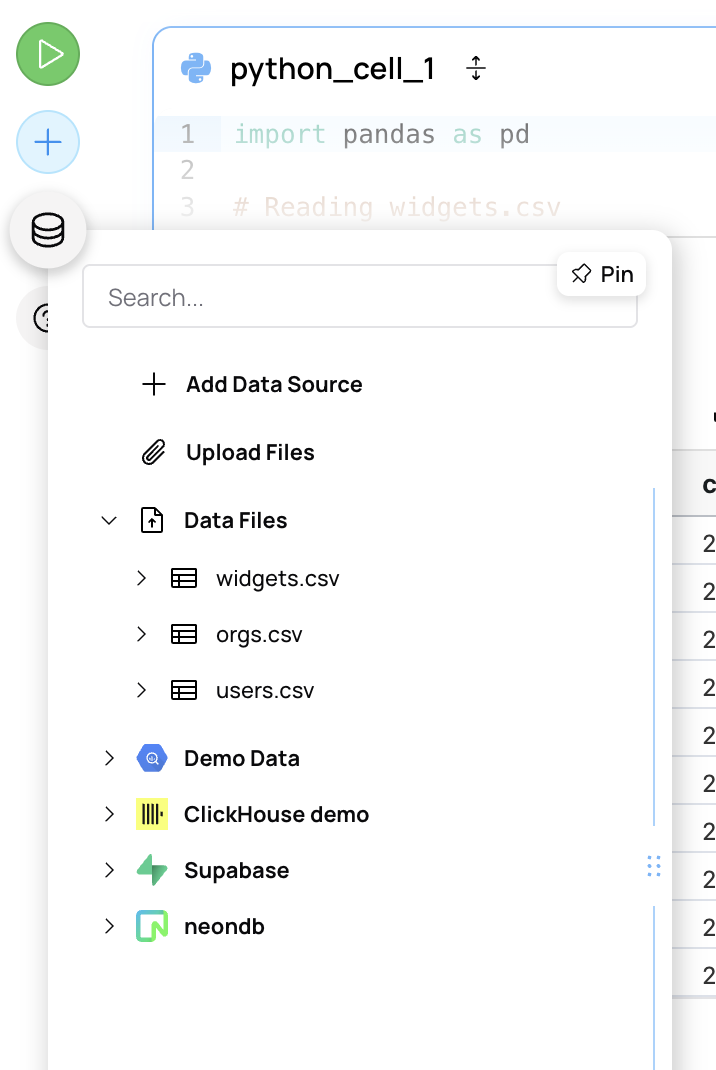
You can always see which files you've uploaded from the **Data source** pane on the left hand side.
Once uploaded, your data will be available to Analyst Agent and you can start asking questions.
You can always see which files you've uploaded from the **Data source** pane on the left hand side.
 # Supported file formats
We support nearly any format you can imagine. The most commonly used file formats that we support:
* CSV or TSV
* Excel
* PDF
* And many more
We're continuously adding new formats and functionality, so please feel free to reach out to [support@fabi.ai](mailto:support@fabi.ai) if you have any particular requests!
# Connecting Google Sheets
If you would rather connect directly to Google Sheets, check out our [Google Sheet connector guide](/workflow_automation/pull_from_google_sheets).
# Supported file formats
We support nearly any format you can imagine. The most commonly used file formats that we support:
* CSV or TSV
* Excel
* PDF
* And many more
We're continuously adding new formats and functionality, so please feel free to reach out to [support@fabi.ai](mailto:support@fabi.ai) if you have any particular requests!
# Connecting Google Sheets
If you would rather connect directly to Google Sheets, check out our [Google Sheet connector guide](/workflow_automation/pull_from_google_sheets).