> ## Documentation Index
> Fetch the complete documentation index at: https://docs.fabi.ai/llms.txt
> Use this file to discover all available pages before exploring further.
# Organizing your workspace
> Organize your workspace with folders
# Workspace structure
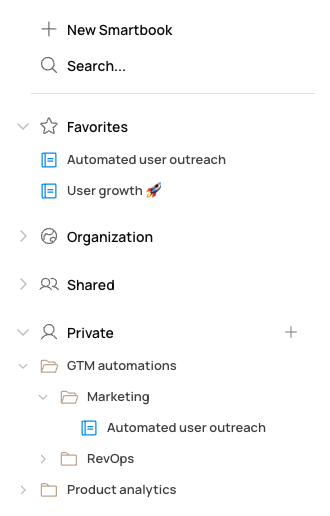
Your workspace is automatically organized into four categories in the left hand navigation menu:
1. **Favorites** Specific Smartbooks, dashboards and workflows that you've starred
2. **Organization** Work shared with the entire organization
3. **Shared** Work shared with a specific list of individuals
4. **Private** Work that only you have access to
 ## Organizing your workspace
To better organize and strucutre your work, you can create folders and sub-folders in your private workspace.
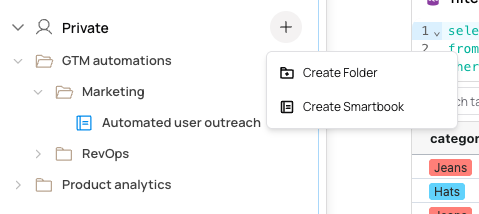
Simply click the **+** button by `Private` and then **Create Folder**
## Organizing your workspace
To better organize and strucutre your work, you can create folders and sub-folders in your private workspace.
Simply click the **+** button by `Private` and then **Create Folder**
 You can just as easily rename or delete folders, and move your work from one folder to the next.