> ## Documentation Index
> Fetch the complete documentation index at: https://docs.fabi.ai/llms.txt
> Use this file to discover all available pages before exploring further.
# Sharing and access control
> Sharing your work with coworkers
# Granting access
You can share any of your work in Fabi with your coworkers, whether it's an ad hoc analysis in a Smartbook or a polished dashboard.
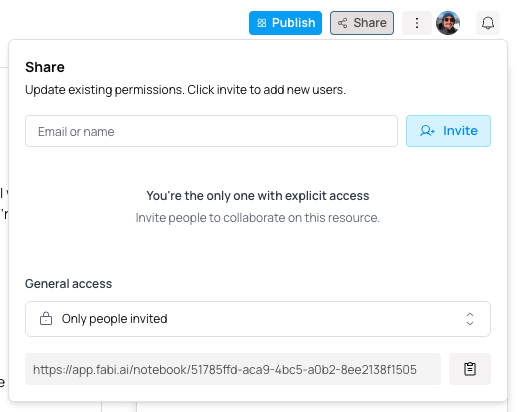
On any page, click the `Share` button in the top menu and select who you would like to share it with. You have two options:
1. **Individual user sharing**: You can choose specific individuals to share your work with
2. **Org-level sharing**: You can share your work with everyone in your organization
For each of these you can choose if the individuals you're sharing your work with have read-only access to edit access.
As the owner of a Smartbook, dashboard or workflow, you can revoke access at any time.