> ## Documentation Index
> Fetch the complete documentation index at: https://docs.fabi.ai/llms.txt
> Use this file to discover all available pages before exploring further.
# Connecting to your data
> Connect your databases, data warehouses, and SaaS tools to Fabi for AI-powered data analysis across all your sources.
# Connecting your data sources
For information about our industry-leading security practices, check out our [Security hub](https://www.fabi.ai/security).
Fabi.ai supports three types of data connections:
1. **Application connectors** - Connect to SaaS applications like HubSpot, Google Ads, Shopify, and hundreds more
2. **Database & data warehouse connectors** - Connect to your databases like Snowflake, BigQuery, PostgreSQL, and more
3. **Google SHeets connector** - Connect your Google Sheet directly to a Fabi Smartbook
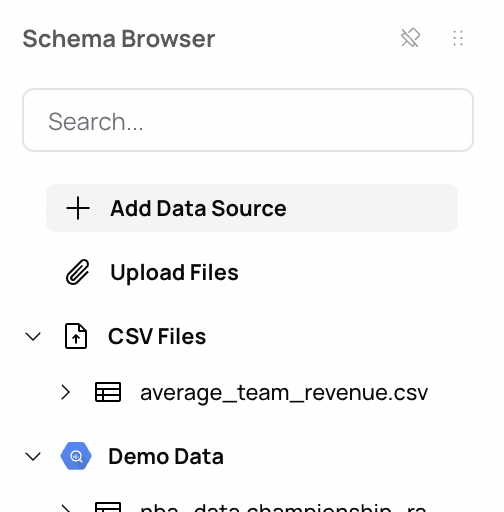
To connect a new data source, in the data panel on the left hand side of a Smartbook, click **Add Data Source** or go to the [data connector settings page](https://app.fabi.ai/settings/data-sources).
 ## Application connectors
Fabi.ai offers hundreds of pre-built application connectors that allow you to sync data from popular SaaS platforms directly into your analysis. These connectors make it easy to bring in data from:
* **Marketing & Advertising**: Google Ads, Facebook Ads, LinkedIn Ads, HubSpot, Mailchimp, and more. Build a marketing dashboard that unifies all your campaign data in one place.
* **E-commerce**: Shopify, Stripe, WooCommerce, and more
* **Sales & CRM**: Salesforce, HubSpot CRM, Pipedrive, and more. Build sales dashboards and CRM dashboards to track pipeline and revenue in real time.
* **Analytics**: Google Analytics, Mixpanel, Segment, and more
* And many more...
**How application connectors work:**
1. Select the application you want to connect
2. Authenticate using your credentials (OAuth or API keys)
3. Fabi.ai automatically syncs your data on a regular schedule
No technical configuration required - just authenticate and start analyzing!
Fabi will only get access to the data that the authenticated user has access to. Ensure that whichever user establishes the connection has access to all the data you wish to analyze.
**Application connector pricing:** \$100/month per connector, which includes 200k record updates. Additional records are prorated at \$50 per 100k. We automatically set an overage limit of \$400 per connector (configurable in your settings). If you hit that limit, we'll pause your sync and send you an email notification.
The 100k monthly records included in the base price is usually sufficient for most connectors unless you're tracking high-volume data such as ads, product event tracking, email tracking, or IoT data.
For any questions, contact us at [support@fabi.ai](mailto:support@fabi.ai).
## Database & data warehouse connectors
For connecting to databases and data warehouses, you'll need to provide connection credentials and may need to configure network access.
## Application connectors
Fabi.ai offers hundreds of pre-built application connectors that allow you to sync data from popular SaaS platforms directly into your analysis. These connectors make it easy to bring in data from:
* **Marketing & Advertising**: Google Ads, Facebook Ads, LinkedIn Ads, HubSpot, Mailchimp, and more. Build a marketing dashboard that unifies all your campaign data in one place.
* **E-commerce**: Shopify, Stripe, WooCommerce, and more
* **Sales & CRM**: Salesforce, HubSpot CRM, Pipedrive, and more. Build sales dashboards and CRM dashboards to track pipeline and revenue in real time.
* **Analytics**: Google Analytics, Mixpanel, Segment, and more
* And many more...
**How application connectors work:**
1. Select the application you want to connect
2. Authenticate using your credentials (OAuth or API keys)
3. Fabi.ai automatically syncs your data on a regular schedule
No technical configuration required - just authenticate and start analyzing!
Fabi will only get access to the data that the authenticated user has access to. Ensure that whichever user establishes the connection has access to all the data you wish to analyze.
**Application connector pricing:** \$100/month per connector, which includes 200k record updates. Additional records are prorated at \$50 per 100k. We automatically set an overage limit of \$400 per connector (configurable in your settings). If you hit that limit, we'll pause your sync and send you an email notification.
The 100k monthly records included in the base price is usually sufficient for most connectors unless you're tracking high-volume data such as ads, product event tracking, email tracking, or IoT data.
For any questions, contact us at [support@fabi.ai](mailto:support@fabi.ai).
## Database & data warehouse connectors
For connecting to databases and data warehouses, you'll need to provide connection credentials and may need to configure network access.
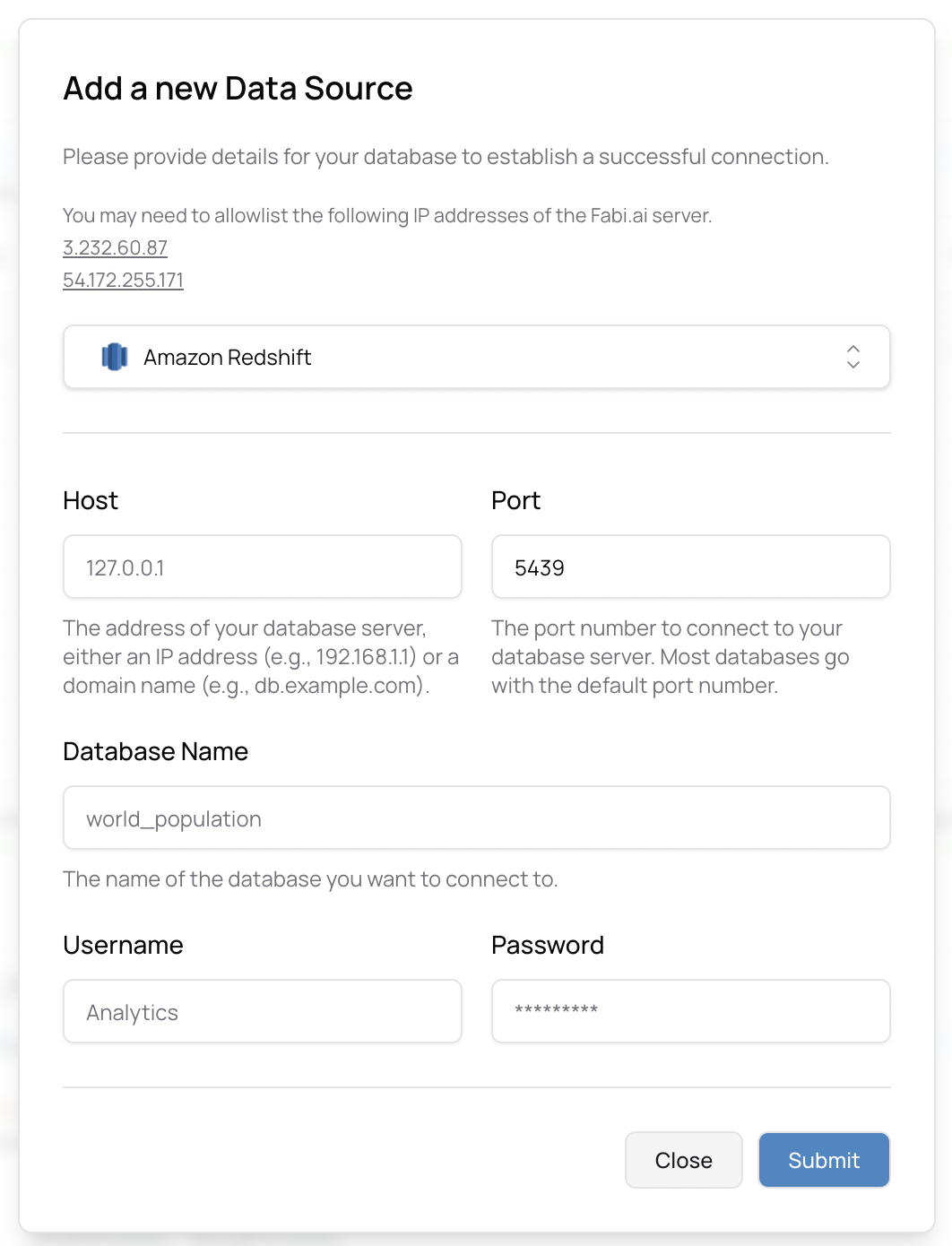 Important: You may need to authorize [Fabi.ai](https://www.fabi.ai/)'s IP addresses to have access to your database. See note below.
# Your cloud configuration (a note for your platform and IT team)
Before connecting, ensure that you whitelist Fabi.ai's IP addresses in your firewall or security group settings:
* `3.232.60.87`
* `54.172.255.171`
# Database connection instructions
For help generating service user accounts and tokens for specific database integrations, check out our individual pages:
* [Snowflake](/integrations_and_connectors/snowflake)
* [Big Query](/integrations_and_connectors/bigquery)
* [PostgreSQL](/integrations_and_connectors/postgresql)
* [Redshift](/integrations_and_connectors/redshift)
* [MySQL](/integrations_and_connectors/mysql)
* [ClickHouse](/integrations_and_connectors/clickhouse)
* [MotherDuck](/integrations_and_connectors/motherduck)
For any additional help getting set up, please reach out to [support@fabi.ai](mailto:support@fabi.ai) .
# Fabi data connectors FAQ
Yes, we can work with you to make sure you're set up properly. Reach out to [support@fabi.ai](mailto:support@fabi.ai) and our team will assist you with the setup process.
Yes, we offer complementary data services to help model data and prep the data. Our team can assist you in structuring your data for optimal analysis. Contact [support@fabi.ai](mailto:support@fabi.ai) to learn more.
Yes, we're constantly adding new connectors and can work with you to prioritize the ones you need. Let us know which connector you're looking for by reaching out to [support@fabi.ai](mailto:support@fabi.ai).
Yes. However, you need to ensure that there's a clear ID to match on - even if it's fuzzy matching - and you may need to provide this context to the AI. Once the matching fields are identified, Fabi can seamlessly join data across different sources in your analysis.
Important: You may need to authorize [Fabi.ai](https://www.fabi.ai/)'s IP addresses to have access to your database. See note below.
# Your cloud configuration (a note for your platform and IT team)
Before connecting, ensure that you whitelist Fabi.ai's IP addresses in your firewall or security group settings:
* `3.232.60.87`
* `54.172.255.171`
# Database connection instructions
For help generating service user accounts and tokens for specific database integrations, check out our individual pages:
* [Snowflake](/integrations_and_connectors/snowflake)
* [Big Query](/integrations_and_connectors/bigquery)
* [PostgreSQL](/integrations_and_connectors/postgresql)
* [Redshift](/integrations_and_connectors/redshift)
* [MySQL](/integrations_and_connectors/mysql)
* [ClickHouse](/integrations_and_connectors/clickhouse)
* [MotherDuck](/integrations_and_connectors/motherduck)
For any additional help getting set up, please reach out to [support@fabi.ai](mailto:support@fabi.ai) .
# Fabi data connectors FAQ
Yes, we can work with you to make sure you're set up properly. Reach out to [support@fabi.ai](mailto:support@fabi.ai) and our team will assist you with the setup process.
Yes, we offer complementary data services to help model data and prep the data. Our team can assist you in structuring your data for optimal analysis. Contact [support@fabi.ai](mailto:support@fabi.ai) to learn more.
Yes, we're constantly adding new connectors and can work with you to prioritize the ones you need. Let us know which connector you're looking for by reaching out to [support@fabi.ai](mailto:support@fabi.ai).
Yes. However, you need to ensure that there's a clear ID to match on - even if it's fuzzy matching - and you may need to provide this context to the AI. Once the matching fields are identified, Fabi can seamlessly join data across different sources in your analysis.