> ## Documentation Index
> Fetch the complete documentation index at: https://docs.fabi.ai/llms.txt
> Use this file to discover all available pages before exploring further.
# AI data processing
> Process fields using AI.
# Overview
If you want to conduct a sentiment analysis or any other type of processing best done by AI, but want to retain the original structure of your data, you can use **AI enrichment** cells.
These cells are designed to take in a DataFrame as input, process a designated field and produce the exact same DataFrame with a new, AI-generated field.
These cells are great for:
* Natural language processing
* Sentiment analysis and categorization
* Keyword analysis
* Intent categorization
 # How to use the AI summarization cell
1. Create a new **AI Enrichment** cell
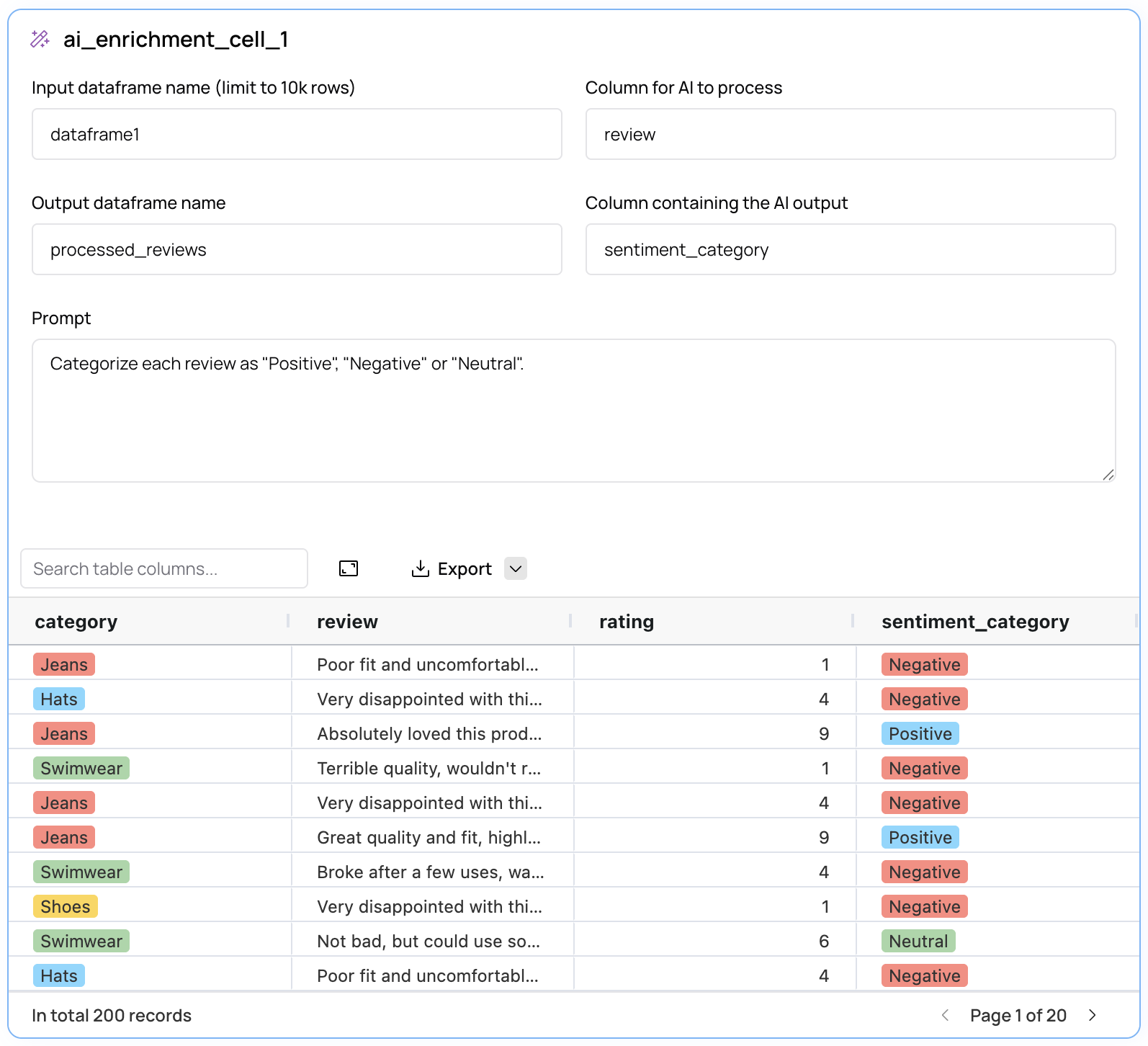
2. Enter the name of the DataFrame you want to summarize in the **Input** field
3. Enter the name of the field you want to enrich or process in the **Column for AI to process** field
4. Enter the name of the DataFrame to produce in the **Output DataFrame name** field
5. Enter the name of the new field for the AI to generate in the **Column containing the AI output** field
6. Enter the prompt you want to use to summarize the data
7. Click **Run** or **Preview**
This cell will generate a new DataFrame that looks exactly like the input DataFrame, except for the additional AI-generated field.
**Important**: By default AI summarization cells will run in **Preview** mode. This means that the AI will only sample part of the data and will
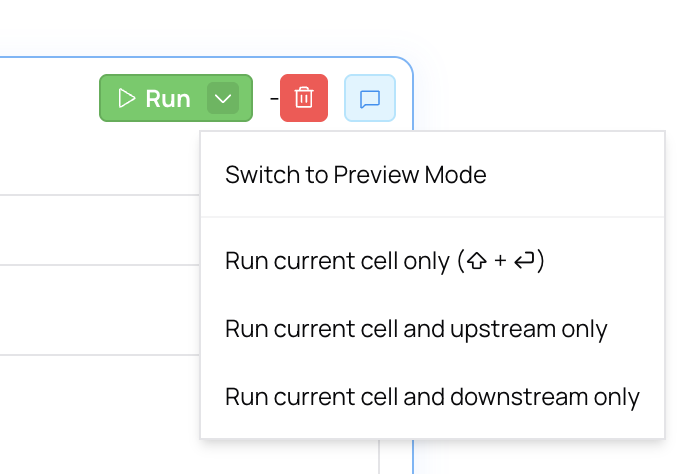
not automatically run when changes are made upstream or downstream. In order to run the AI summarization cell on the entire dataset, you can change the run mode by clicking the dropdown on the **Run** button.
# How to use the AI summarization cell
1. Create a new **AI Enrichment** cell
2. Enter the name of the DataFrame you want to summarize in the **Input** field
3. Enter the name of the field you want to enrich or process in the **Column for AI to process** field
4. Enter the name of the DataFrame to produce in the **Output DataFrame name** field
5. Enter the name of the new field for the AI to generate in the **Column containing the AI output** field
6. Enter the prompt you want to use to summarize the data
7. Click **Run** or **Preview**
This cell will generate a new DataFrame that looks exactly like the input DataFrame, except for the additional AI-generated field.
**Important**: By default AI summarization cells will run in **Preview** mode. This means that the AI will only sample part of the data and will
not automatically run when changes are made upstream or downstream. In order to run the AI summarization cell on the entire dataset, you can change the run mode by clicking the dropdown on the **Run** button.