> ## Documentation Index
> Fetch the complete documentation index at: https://docs.fabi.ai/llms.txt
> Use this file to discover all available pages before exploring further.
# AI summaries
> Generate summaries of your data with AI.
# Overview
Fabi.ai has a built-in AI summarization cell that allows you to summarize text data.
This is perfect for:
* Sending our executive summaries via email or Slack
* Including up-to-date summaries embedded in your dashboards
 # How to use the AI summarization cell
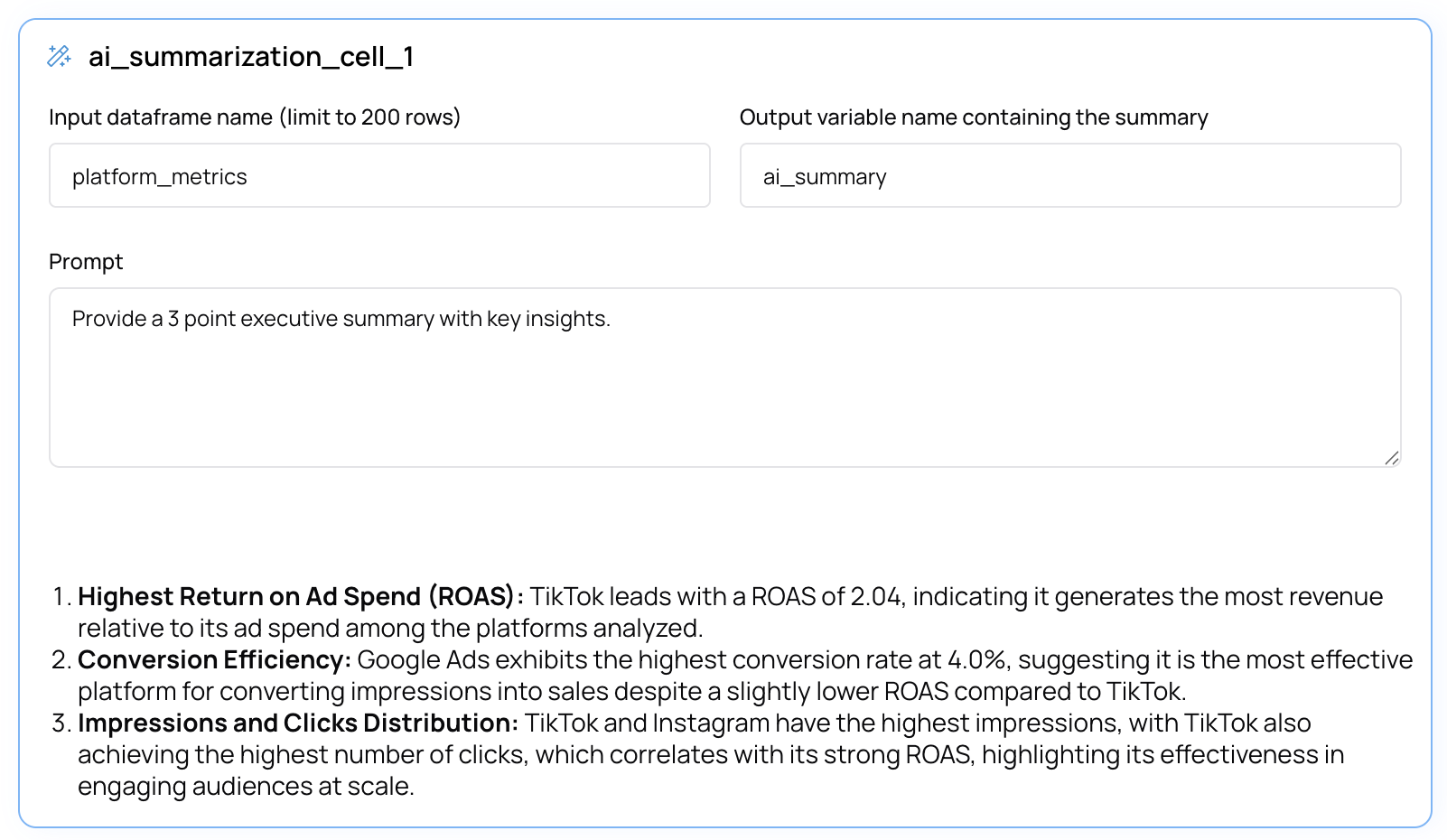
1. Create a new **AI Summarization** cell
2. Enter the name of the DataFrame you want to summarize in the **Input** field
3. Enter the name of the Python variable that you want to store the AI summary in, in the **Output variable name containing the summary** field
4. Enter the prompt you want to use to summarize the data (eg. "Write a brief executive summary")
5. Click **Run** or **Preview**
The AI summary will be stored as a Python string in the variable that you've defined in the output. You can then use this Python string in subsequent cells or send emails or Slack messages for example, or even include in Text cells.
**Important**: By default AI summarization cells will run in **Preview** mode. This means that the AI will only sample part of the data and will
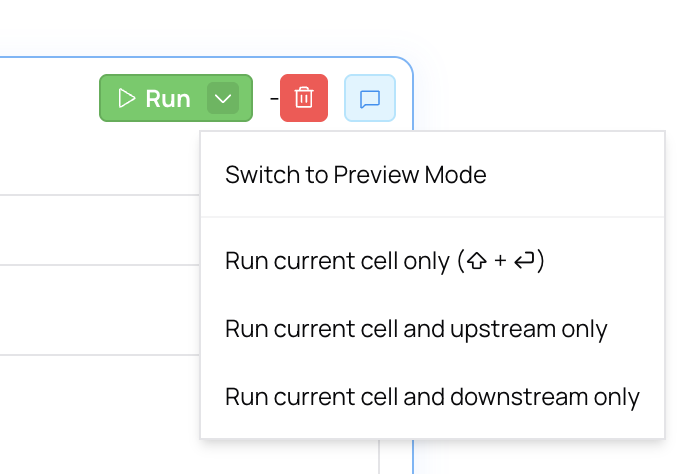
not automatically run when changes are made upstream or downstream. In order to run the AI summarization cell on the entire dataset, you can change the run mode by clicking the dropdown on the **Run** button.
# How to use the AI summarization cell
1. Create a new **AI Summarization** cell
2. Enter the name of the DataFrame you want to summarize in the **Input** field
3. Enter the name of the Python variable that you want to store the AI summary in, in the **Output variable name containing the summary** field
4. Enter the prompt you want to use to summarize the data (eg. "Write a brief executive summary")
5. Click **Run** or **Preview**
The AI summary will be stored as a Python string in the variable that you've defined in the output. You can then use this Python string in subsequent cells or send emails or Slack messages for example, or even include in Text cells.
**Important**: By default AI summarization cells will run in **Preview** mode. This means that the AI will only sample part of the data and will
not automatically run when changes are made upstream or downstream. In order to run the AI summarization cell on the entire dataset, you can change the run mode by clicking the dropdown on the **Run** button.